
-1174-p.jpg?v=2B9DCB9B-962F-4B3C-AFA6-D6363D28F7C5)
-1174-p.jpg?v=F63C2C0D-8D81-4EF3-8CC9-CE2CE30D52AE)
-1174-p.jpg?v=0C20D78A-CA14-49DD-8EF1-BE6CA4CDB225)
-1174-p.jpg?v=78927BD5-487D-4466-9F53-5B6F1266310E)

GeoFace G100 Wifi ‘Pro’ Biometric Face, Finger, PIN Clocking in Machine
- Easy to use WIFI facial recognition clocking in machine, accurate, reliable, takes just a second to clock. The terminal is robust, software is GDPR compliant and ISO 27001 certified. Fully featured clocking in machine solution. Exports to payroll.
2 user software licences, 60 day money back guarantee. Export to payroll, FREE Live attendance Dashboard. FREE Paystandard import to Sage Payroll. FREE support for 12 months.
- Present a pre-enrolled face to clock. That is all.
- Wifi model – ideal for warehouses and outbuildings
Software
- Automatically calculates the correct hours or pay for payroll
- Unlimited shifts, Unlimited Clocking’s per day
- Everyone can have a different shift every day of a pay period
- Continental shift patterns in any combination
- Multiple reports and report options
- Auto-deduct for lunch/breaks, clocked/not clocked
- Auto deduct for lateness & early departure
- Live Attendance Dashboard at any and all PC’s
- ‘Roll Call’ for printed evacuation reports at all PC’s
- Graphical drag and drop shift rostering
- Change GUI Theme to dark/light. 100+ options included
- FREE Paystandard Payroll import to Sage
- FREE 12 months support
- FREE 3 year warranty
GeoFace G100 WIFI is a robust, fully featured clocking in machine solution, WIFI and network ready, with Roll Call reports, Payroll Export, additional Payroll Import, Live Attendance Dashboards & 12 months Free Support. Pay periods supported are weekly, Bi-weekly, 4 weekly, semi-monthly and monthly.
Features as standard
| Standard Pay and Overtime |  |
Deduct for Cigarette Breaks | |
|
| Employee Rostering | |
Exports data to all Payroll Programs | |
|
| Unlimited Lunch/Tea Breaks | |
Auto-Deduct for Lateness | |
|
| Overtime abuse clawback feature | |
Daily and Weekly Overtime | |
|
| Automatic or Clocked Breaks/both | |
Exports to all Payroll Programs | |
|
| Reports in hours/ minutes or decimals | |
2 Different time card reports | |
|
| Pay periods supported | |
Shift rotation | Unlimited | |
| Cigarette break clockings | Unlimited | Number of pay periods | 2 | |
| Number of roster patterns | Unlimited | Number of departments | Unlimited | |
| Number of Live Attendance Dashboards | Unlimited | Pay period length | Unlimited | |
| Number of concurrent Roll Call Reports | Unlimited | Number of clock in/out per day | Unlimited | |
| Number of companies | Unlimited |
V.04/2021
Please see "Software Comparison" for advanced features.
How the terminal works
The software also allows authorised personnel to add, modify or delete those transactions.
Example Time Card
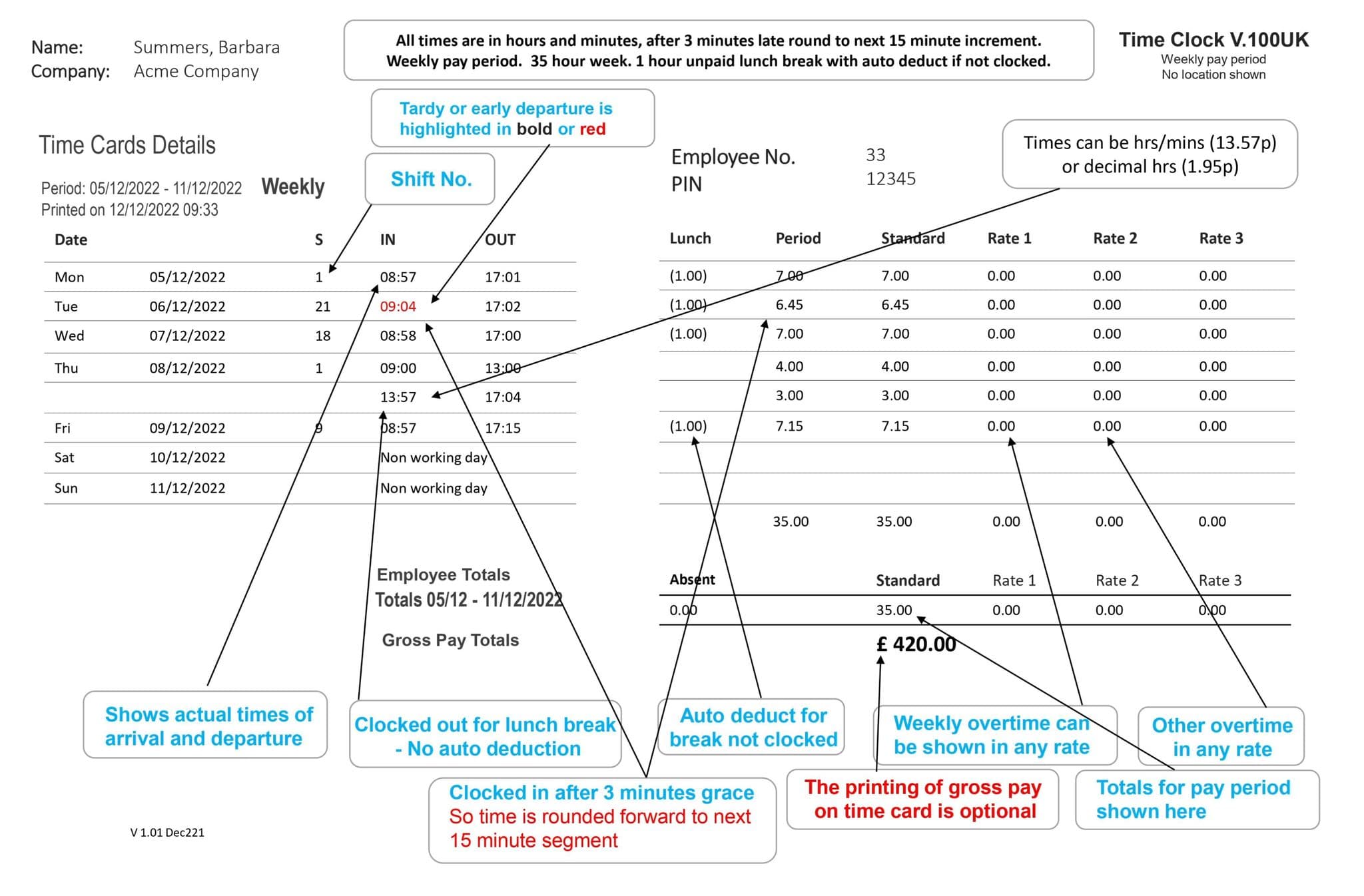
Working Hours and Pay
Overtime can be applied by time of day, day of week, after x hours per day, after x hours per week.
Calculates hours worked, sorts pay into standard and overtime - even deducts for any breaks so you don't have to!
- Also allows you to add, edit or delete transactions - to restrict too much overtime - easily add transactions for drivers and remote workers.
- Overtime can be accrued by number of hours worked, by time of day (time band), by shift, day of week and pay period. You can name overtime rates to suit you.
- Multi user software option - with user access permissions
Fire Roll Call Reporting
Run automatic, on demand and up-to-date roll call reports in cases of emergency! Our fire report gives you greater confidence by allowing an instant roll call if required- great for Health and Safety.
The Live Attendance Dashboard
See in real-time who is on or off the premises - have this utility running on multiple PCs in your company so anyone can see who is 'IN' or 'OUT'.
Graphical Shift Rostering Calendar - Changes Shifts In A Second
There is no limit to the number of clockings or breaks per shift and you can allocate an employee to a different shift every day. The shift rostering calendar allows you to allocate employees with a click.- by day of the week/department etc
Lateness Retrieval Facility
GeoFace G100 Wifi software has intelligent rounding rules so you only pay for the exact time worked. Round forward/back for late arrivals, long lunches, early departures, lunch not taken - so you only pay for the hours worked.
Reporting Facility
Summary time cards, detailed time cards, roll call reports and more! See the reporting tab for full details.
Software Specification
GeoFace G100 Wifi software only operates on Windows platform and is multi-department, multi-company and can run on a stand-alone PC or networked.
PC *minimum* requirements:
Standard Windows Intel-compatible processor (Intel, AMD etc), 1gb RAM, 200MB hard disk space free, an available and suitable CAT5 network port (for hardware equipped with a network port).
Operating systems supported must be properly licensed, legal and current copies of Windows 7, 8, Windows 10; desktop versions.
This product is not sold to work on beta or preview versions of Windows, Windows Vista, Windows RT, Windows for devices or emulation packages such as the WINE project, thin client or virtual environments.
All operating systems must be 32bit or 64 bit with no sub-systems restrictions.
Related Products
-
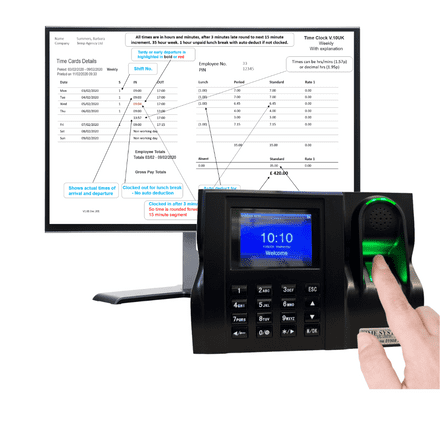
GeoTime 10+ | Fingerprint clocking in machine
£225.00 £270.00 (inc. VAT)(1)- Biometric fingerprint clocking in machine that stops employees clocking each other and gives accurate, reliable time recording results. With FREE ‘Roll Call’ report, FREE Payroll Export, FREE Live attendance Dashboards. FREE 30 days support.
3 year warranty, 60 day money back guarantee.
- Present a pre-enrolled finger or PIN & password to clock, that is all.
Software
- Change GUI Theme to dark/light. 100+ options included
- Automatically calculates the correct hours or pay for payroll
- Unlimited Clocking’s per day
- Multiple reports and report options
- Auto-deduct for lunch/breaks, clocked/not clocked
- Auto deduct for lateness & early departure
- Live Attendance Dashboard at any and all PC’s
- ‘Roll Call’ for printed evacuation reports at all PC’s
- FREE Export to Payroll
- FREE 30 days support
- FREE 3 year warranty
- Biometric fingerprint clocking in machine that stops employees clocking each other and gives accurate, reliable time recording results. With FREE ‘Roll Call’ report, FREE Payroll Export, FREE Live attendance Dashboards. FREE 30 days support.
-
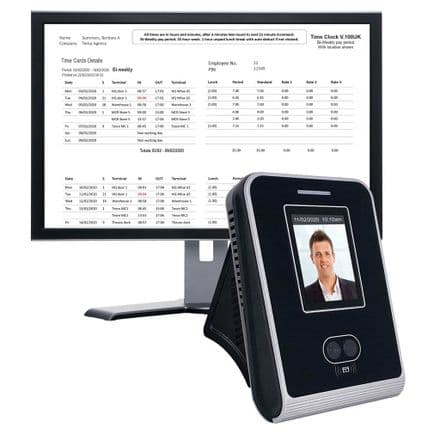
GeoFace 100 | Face recognition clocking in machine
£215.00 £258.00 (inc. VAT) £450.00- Easy to use face recognition clocking in machine, accurate, reliable, takes just a second to clock. The terminal is robust, software is GDPR compliant and ISO 27001 certified. Fully featured clocking in machine solution,
2 user software licences, 60 day money back guarantee. Export to payroll, FREE Live attendance Dashboard. FREE Paystandard import to Sage Payroll. FREE support for 12 months.
- Present a pre-enrolled face to clock. That is all.
Software
- Automatically calculates the correct hours or pay for payroll
- Unlimited shifts, Unlimited Clocking’s per day
- Everyone can have a different shift every day of a pay period
- Continental shift patterns in any combination
- Multiple reports and report options
- Auto-deduct for lunch/breaks, clocked/not clocked
- Auto deduct for lateness early departure
- Live Attendance Dashboard at any and all PC’s
- ‘Roll Call’ for printed evacuation reports at all PC’s
- Graphical drag and drop shift rostering
- Change GUI Theme to dark/light. 100+ options included
- FREE Paystandard Payroll import to Sage
- FREE 12 months support
- FREE 3 year warranty
-
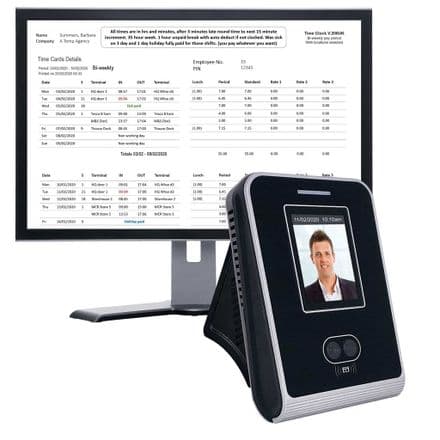
GeoFace 200 | Face recognition clocking in machine
£235.00 £282.00 (inc. VAT) £500.00- Easy to use biometric face clocking in machine, accurate, reliable, takes just a second to clock. The terminal is robust, software is GDPR compliant and ISO 27001 certified. Fully featured clocking in machine solution with holiday and sickness calculations, Exports to payroll. It can also email employees so they can see their own time card.
2 user software licences, 60 day money back guarantee. Export to payroll, FREE Live attendance Dashboard. FREE Paystandard import to Sage Payroll. FREE support for 12 months.
- Change GUI Theme to dark/light. 100+ options included
- You can allow employee to see their hours worked on their smartphone
- Automatically calculates the correct hours or pay for payroll
- Handles sickness and holiday calculations
- Unlimited shifts, Unlimited Clocking’s per day
- Everyone can have a different shift every day of a pay period
- Continental shift patterns in any combination
- Multiple reports and report options
- Auto-deduct for lunch/breaks, clocked/not clocked
- Auto deduct for lateness early departure
- Live Attendance Dashboard at any and all PC’s
- ’Roll Call’ for printed evacuation reports at all PC’s
- Graphical drag and drop absence calendar
- Graphical holiday calendar – click and done
- Graphical drag and drop shift rostering
- FREE Payrolll export & Paystandard Payroll import to Sage
- FREE 12 months support
- FREE 3 year warranty
- Easy to use biometric face clocking in machine, accurate, reliable, takes just a second to clock. The terminal is robust, software is GDPR compliant and ISO 27001 certified. Fully featured clocking in machine solution with holiday and sickness calculations, Exports to payroll. It can also email employees so they can see their own time card.
-
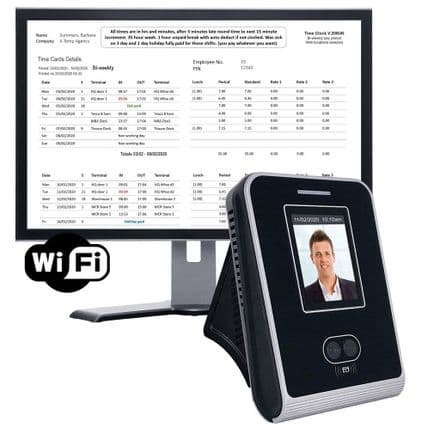
GeoFace 200 Wifi | Face recognition clocking in machine
£265.00 £318.00 (inc. VAT)- Easy to use WIFI face recognition clocking in machine, accurate, reliable, takes just a second to clock. The terminal is robust, software is GDPR compliant and ISO 27001 certified. Fully featured clocking in machine solution with holiday and sickness calculations, Exports to payroll. It can also email employees so they can see their own time card.
2 user software licences, 60 day money back guarantee. Export to payroll, FREE Live attendance Dashboard. FREE Paystandard import to Sage Payroll. FREE support for 12 months.
Software
- Clocking in machine ideal for warehouses and outbuildings
- Can email time card to employee daily, weekly or on demand – timesaver
- Automatically calculates the correct hours or pay for payroll
- Handles sickness and holiday calculations
- Unlimited shifts, Unlimited Clocking’s per day
- Everyone can have a different shift every day of a pay period
- Continental shift patterns in any combination
- Multiple reports and report options
- Auto-deduct for lunch/breaks, clocked/not clocked
- Auto deduct for lateness early departure
- Live Attendance Dashboard at any and all PC’s
- ’Roll Call’ for printed evacuation reports at all PC’s
- Graphical drag and drop absence calendar
- Graphical holiday calendar – click and done
- Graphical drag and drop shift rostering
- Change GUI Theme to dark/light. 100+ options included
- FREE payroll export & Paystandard Payroll import to Sage
- FREE 12 months support
- FREE 3 year warranty
- Easy to use WIFI face recognition clocking in machine, accurate, reliable, takes just a second to clock. The terminal is robust, software is GDPR compliant and ISO 27001 certified. Fully featured clocking in machine solution with holiday and sickness calculations, Exports to payroll. It can also email employees so they can see their own time card.